
Project management for small VFX studios
One ticket per shot, and the bid on the same page.
A boutique VFX job on a commercial or an episode is a shot list: thirty shots of cleanup, screen replacements, a few CG set extensions, delivered against a fixed online date. The work is split between your artists and freelance compositors, and the cut keeps changing. OIO gives the job one project page and each shot one ticket, with the bid, the change orders and the invoice on the same project.
No card. Set up takes ten minutes.
Where the job goes wrong
The turnover arrives as plates, a reference cut and a shot list from editorial. You bid per shot by complexity, the producer approves, and a week later the cut changes: four shots are out, six are new, two get longer. Nobody updates the bid until the invoice is due.
Notes come from the VFX supervisor, the director and the agency, on different versions of the same shot. A compositor in another time zone works from an email thread, and by v005 it is not clear which notes were for v003 and which are still open.
How a VFX job runs in OIO
- 1
Turnover and bid
Plates, the reference cut, the shot list, lens and set data where it exists. Each shot is bid by what it needs: paint, roto, tracking, CG, comp.
In OIO: The project page holds the brief, the reference files and the online date. The bid is a quote on the project, one line per shot or per group of similar shots.
- 2
One ticket per shot
Shot codes from editorial, SH010 to SH300, each with its frame range and its own difficulty.
In OIO: One ticket per shot, named by its shot code, with dates and an assignee. The kanban shows which shots are in progress, waiting on notes or done; the timeline shows them against the online date.
- 3
Freelance compositors and roto artists
Freelancers take a batch of shots for a few weeks, often remotely.
In OIO: Send each freelancer the link to their shot's ticket. They read the brief and the notes, comment and set it to done, with no account and no seat. Uploads on a ticket link go up to 25 MB a file, so plates and EXR sequences move through your own storage.
- 4
Notes by version
Supervisor notes on v001, director notes on v002, agency notes on v003, each with timecodes or frame numbers.
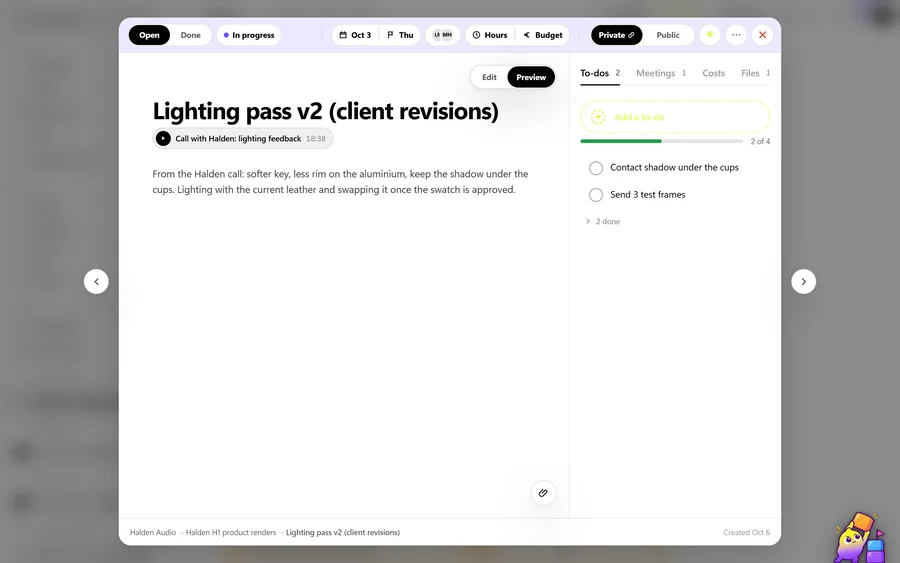
In OIO: Start each round of notes on the shot's ticket with the version, for example "v003: soften the edge on the screen insert, frame 1042", as checklist items. The artist sees the same list on their link and ticks it off.
- 5
Change orders
Shots added, removed or extended after the bid, and extra rounds the bid did not include.
In OIO: Add new shots as tickets and the change as an extra line on the next invoice. The ticket's history shows when the shot came in and what was asked.
- 6
Delivery and invoice
Finals to spec for the online, then the invoice, and the freelancers invoice you in their own currencies.
In OIO: The client's status link shows which shots are done. The invoice comes from the project; each freelancer's fee goes on the same project as a cost in their currency, at that day's rate.
Bidding per shot
Small VFX work is usually bid per shot, with shots grouped by difficulty: simple paint and cleanup at one price, screen replacements and tracking at another, CG shots priced on their own. The bid names how many rounds of notes are included per shot.
In OIO each group is a quote line with a quantity and a price, so "12 x cleanup shot" reads the way the producer checks it. When the cut changes, new shots are new tickets and the difference goes on the invoice as its own line.
What OIO does not do
Better to know before you move a live job over.
- There is no shot and asset pipeline. OIO tracks tickets, not pipeline steps, and has no version publishing.
- There is no review player. Notes on a frame are written with the frame number or timecode.
- There are no plug-ins for Nuke, Houdini, Maya or Resolve, and no render farm connection.
- Uploads on a freelancer's ticket link go up to 25 MB a file, so plates and image sequences need your own storage or transfer.
- There is no time tracker. Hours on a ticket are a number you enter.
What it costs
Free for 3 projects and 3 clients, no card. Solo $12 a month, Pro $29, Studio $69 a month for 5 seats. People who only view, and freelancers on a ticket link, use no seat.
Start with one free projectNo card. Set up takes ten minutes.
Questions
Is OIO a replacement for ShotGrid or ftrack?
Not for a pipeline. If you need shot and asset tracking by pipeline step, version publishing from Nuke or Maya, or a review player, those tools do that and OIO does not. OIO is for a small studio that needs the shot list, the freelancers, the client and the bid in one place.
How do I track notes across versions?
OIO has no version stack. Start each round of notes on the shot's ticket with the version number and keep them as checklist items. The ticket then holds what was asked on each version and what is still open.
Do my freelancers need a seat or an account?
No. You send a freelancer a link to one ticket. In a browser they read the brief and the checklist, download the files, upload their work, comment and set the ticket to done. Only people who edit inside the studio account take a seat.
Can freelancers upload EXR sequences through OIO?
Not practically. Uploads on a ticket link go up to 25 MB a file. Use your own server or a transfer service for plates and sequences, and keep the brief, the notes and the status of each shot on the ticket.
Can I bid in the client's currency?
Yes. Quotes and invoices can be in any currency, with each line carrying a quantity, a unit and a price. Freelancer costs go on the same project in their own currency, stamped with the day's rate.
Further reading
- ShotGrid alternatives for small studios
- OIO vs ShotGrid
- OIO vs ftrack
- OIO vs Kitsu
- Managing freelancers in a small 3D studio
- Project management for 3D studios
- Project management for archviz studios
- Project management for motion design studios
- Project management for animation studios
- Project management for video production
- Project management for branding studios
- Project management for interior visualisation
- Project management for game art studios
- OIO for studios that work with freelancers