
Project management for game art studios
One ticket per asset, one page per client.
Game art outsourcing is an asset list: forty props, six characters, a set of modular environment pieces, each going from concept to blockout to high poly, low poly, bake, textures and an in-engine check. The client's art director reviews at milestones, and half the assets are done by freelancers. OIO gives each client job one project page and each asset one ticket, with the NDA, the quote per asset and the invoices on the same project.
No card. Set up takes ten minutes.
Where the job goes wrong
The developer sends a style guide, a poly budget and a list of assets in a spreadsheet, then adds twelve props in week three. The art director's notes come in a document per milestone, and two freelancers are working from different versions of the texel density spec.
Every asset is priced by tier, simple, medium or hero, and the milestone invoice depends on which assets passed review. Working that out takes a day, every month.
How a game art job runs in OIO
- 1
NDA, style guide and asset list
An NDA first, then the style guide, technical specs and the asset list.
In OIO: Send the NDA to sign online; the signer needs no account. The project page holds the style guide, the specs and the milestone dates. CSV import turns the client's asset list into tickets.
- 2
One ticket per asset
Each asset has a tier, a poly budget, a texture set and a due milestone.
In OIO: One ticket per asset, with the stages from blockout to in-engine check as checklist items. The kanban shows what is in progress, on hold for review or done; the timeline shows the assets against the milestones.
- 3
Freelance artists
Freelancers take a batch of props or a character, often in other countries.
In OIO: Send each one the link to their asset's ticket. They read the brief and the specs, download the references, upload previews, comment and set the ticket to done, with no account and no seat. Uploads go up to 25 MB a file, so full source files move through your own storage.
- 4
Art director reviews
Notes per asset at each milestone: silhouette, proportions, texel density, colour.
In OIO: Put each milestone's notes on the asset's ticket as checklist items, starting with the milestone name. The artist sees the same list on their link and ticks it off.
- 5
Team chat across time zones
The lead, the artists and the producer work in different hours.
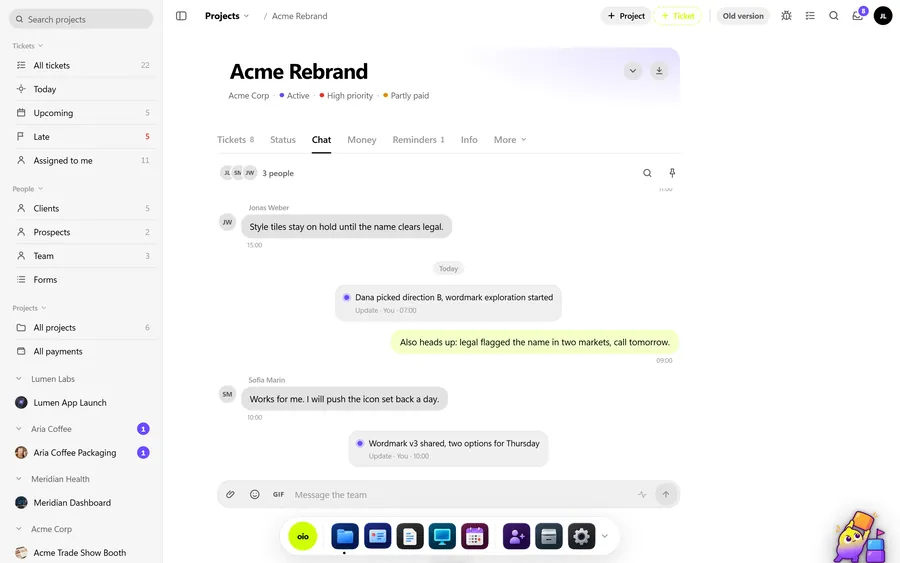
In OIO: Each project has its own team chat with @mentions, so questions about one client's assets stay with that client's project.
- 6
Milestone invoices
Invoiced per milestone, by the assets delivered and their tier.
In OIO: The invoice comes from the project, with lines like "12 x prop, medium tier". Freelancer fees go on the same project as costs in their currencies, at the day's rate.
Pricing per asset
Game art outsourcing is usually priced per asset by tier, with characters and hero assets priced on their own, or by artist-days on longer engagements. Milestones decide when each batch is invoiced.
In OIO the quote lines carry a quantity, a unit and a price, so a tier is one line with the number of assets. At each milestone, the done tickets are the list the invoice is built from.
What OIO does not do
Better to know before you move a live job over.
- There are no plug-ins for Unreal, Unity, Maya, Blender, ZBrush or Substance.
- There is no 3D viewer and no review player. Previews go on the ticket as images or video.
- There is no version control or Perforce link. Source files stay in your own storage.
- Uploads on a freelancer's ticket link go up to 25 MB a file.
- There is no time tracker. Hours on a ticket are entered by hand.
What it costs
Free for 3 projects and 3 clients, no card. Solo $12 a month, Pro $29, Studio $69 a month for 5 seats. People who only view, and freelancers on a ticket link, use no seat.
Start with one free projectNo card. Set up takes ten minutes.
Questions
Can I import the client's asset list?
Yes. OIO imports tickets from a CSV file and lets you match each column to a field before the import, so a spreadsheet of assets becomes one ticket per asset.
Can I get an NDA signed in OIO?
Yes. Send the NDA as a document to sign online. The signer opens a link on any device and signs without an account, and the signature comes with an audit trail.
Do my freelancers need a seat or an account?
No. You send a freelancer a link to one ticket. In a browser they read the brief and the checklist, download the files, upload their work, comment and set the ticket to done. Only people who edit inside the studio account take a seat.
How do I keep each client's work separate?
Each client job is its own project with its own tickets, files, chat and invoices. A freelancer on a ticket link sees only that ticket, and the client's status link shows only their projects.
Can I invoice in the developer's currency?
Yes. Quotes and invoices can be in any currency, and freelancer costs go on the same project in their own currency, stamped with the day's rate.
Further reading
- Managing freelancers in a small 3D studio
- What a freelance contract needs
- How to invoice international clients
- OIO vs Airtable
- Project management for 3D studios
- Project management for archviz studios
- Project management for motion design studios
- Project management for small VFX studios
- Project management for animation studios
- Project management for video production
- Project management for branding studios
- Project management for interior visualisation
- OIO for studios that work with freelancers