
Project management for video production companies
Treatment to final deliverables, and the money on the same page.
A production is a treatment, a quote, a shoot that cannot move, and an edit that goes through three or four cuts before picture lock. Crew are freelancers booked by the day, and the deliverables list grows at the end. OIO gives each production one project page, each stage or deliverable one ticket, and puts the crew costs, the quote and the invoice on the same project.
No card. Set up takes ten minutes.
Where the job goes wrong
The shoot is booked for a Thursday. Location, crew, kit hire and talent are confirmed over email, WhatsApp and a spreadsheet. The client adds a second location on Monday and nobody updates the budget.
Then the edit: v1, v2, v3, notes from the client and from their boss, a music licence that needs approval, and a final list of deliverables in four lengths and three ratios. The crew invoices arrive in three currencies, and the client's invoice waits until someone works out the real cost.
How a production runs in OIO
- 1
Brief, treatment and quote
The brief comes in, you write a treatment and quote crew days, kit, edit days and licences.
In OIO: The enquiry can come in through a lead form on your site. The project page holds the brief and the treatment, and the quote is made on the project with a line per day, item or licence. Contracts and proposals go out to sign online.
- 2
Pre-production
Script, shot list, locations, casting, crew and kit bookings, the call sheet.
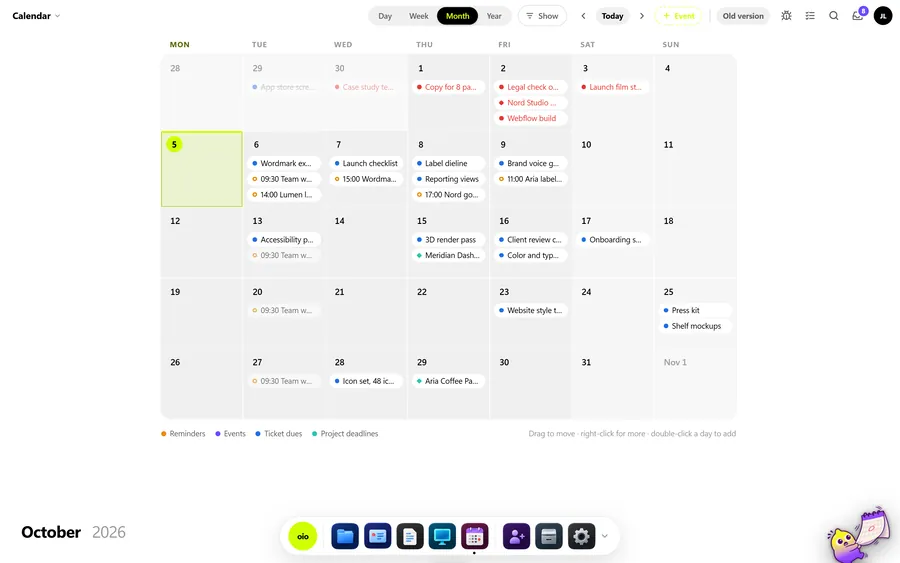
In OIO: A ticket per pre-production task, each with a date and an owner, so the shoot date shows what is still open. Ticket dates and the project deadline show on the calendar.
- 3
Shoot days
Crew booked by the day, kit hire, locations, catering.
In OIO: Each cost goes on the project as an expense in its own currency, at that day's rate, so the budget against what was spent is visible before the edit starts.
- 4
Edit and notes
Offline cuts, then grade, mix and graphics. Notes arrive with timecodes, from more than one person.
In OIO: A ticket per cut, notes as checklist items with the timecode at the start, numbered by version. Feedback calls can be recorded and transcribed on paid plans, so a note given on a call is written down.
- 5
Deliverables
The master, cutdowns, ratios, captions, a clean version.
In OIO: A ticket per deliverable or per group of versions. Send them with download links up to 1 GB per video file that expire after 1, 7 or 30 days.
- 6
Invoice
Usually a deposit before the shoot and the balance on delivery.
In OIO: Both invoices come from the project, in any currency. The client's status link can show the money section and let them confirm the amount is OK to invoice.
Quoting days, kit and edit
Production is quoted in days: shoot days per crew role, kit hire, edit and grade days, plus licences for music or stock and a line for expenses. Most companies take a deposit before the shoot, because the costs land before the client pays.
In OIO each of those is a quote line with a quantity, a unit and a price, so "2 x shoot day, director of photography" reads the way the client checks it. The real costs go on the project as expenses, which shows the margin before the final invoice.
What OIO does not do
Better to know before you move a live job over.
- There is no video review player. Clients cannot comment at a timecode inside OIO; notes are written with the timecode.
- There is no call sheet generator and no kit booking.
- There are no plug-ins for Premiere, Resolve or Avid.
- There is no time tracker. Hours on a ticket are a number you enter.
- OIO does not take payments. Clients pay by bank transfer, your own payment link or crypto.
What it costs
Free for 3 projects and 3 clients, no card. Solo $12 a month, Pro $29, Studio $69 a month for 5 seats. People who only view, and freelancers on a ticket link, use no seat.
Start with one free projectNo card. Set up takes ten minutes.
Questions
Can I track crew and kit costs against the budget?
Yes. Each cost goes on the project as an expense in its own currency, stamped with that day's rate, and the project shows the budget, what has been spent and what has been paid.
Can clients leave notes on the cut in OIO?
No. OIO has no video player with timecoded comments. Clients send notes with timecodes and you put them on the ticket. If frame-accurate review is central to your process, keep a review tool for that and run the production in OIO.
Do freelance crew need a seat?
No. A freelance editor or animator gets a link to their ticket and works there in a browser, with no account. Only people who edit inside the company account take a seat.
Can I record the client call?
On paid plans, yes. Calls are recorded and transcribed in OIO, so the notes given on the call are written down when the edit starts.
How do I send large video files?
With a download link. Video files go up to 1 GB each and the link expires after 1, 7 or 30 days. Storage counts against your plan.
Further reading
- How to write a deposit invoice
- How to write a statement of work
- How to get a proposal signed online
- OIO vs Wrike
- Project management for 3D studios
- Project management for archviz studios
- Project management for motion design studios
- Project management for small VFX studios
- Project management for animation studios
- Project management for branding studios
- Project management for interior visualisation
- Project management for game art studios
- OIO for studios that work with freelancers