
Your freelancers work inside your project.
No account, no seat, no lost feedback.
One project page for the studio, the client and the freelancer. Brief, tickets, whiteboard, files and money in one place. The freelancer opens a link, reads the brief and the feedback, uploads the work and marks it done. You see where the project stands without asking anyone.
No card. Set up takes ten minutes.

You hired a freelancer in another country for this project.
The brief is in an email. The feedback is in a chat. The files are in a folder. The invoice arrives in the wrong currency.
Your project tool wants 15 dollars a month to give them a seat, and they will log in twice.
You find out where the project stands by asking three people.
How it works
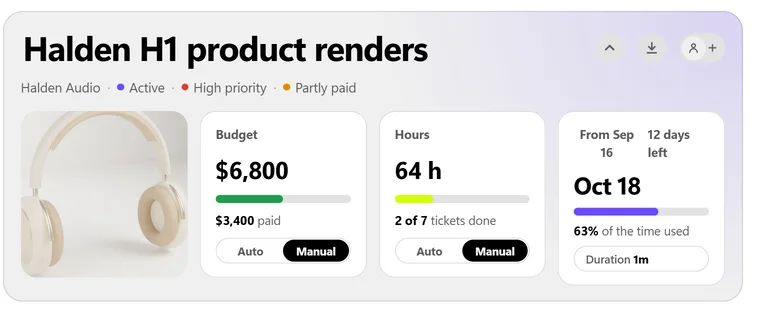
Open the project.
Client, budget, deadline, status. One page. Everyone on the team sees the same one.
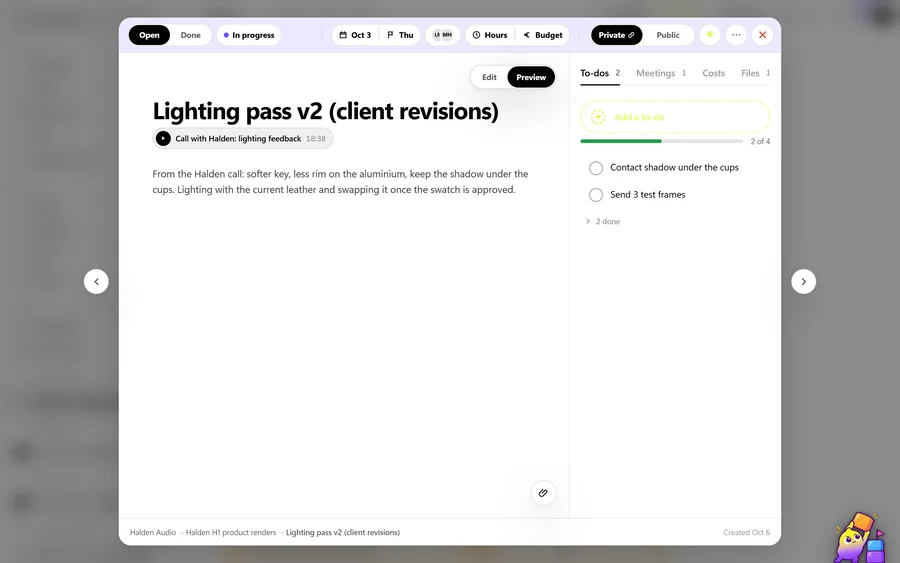
Send the link.
A ticket or a whole whiteboard goes public with one switch. Your freelancer opens it in a browser, reads the brief, sees the feedback and downloads the files. On a ticket link they also upload the work, answer the feedback and mark it done. No login, no seat, nothing to install. The client gets the same kind of link for status.
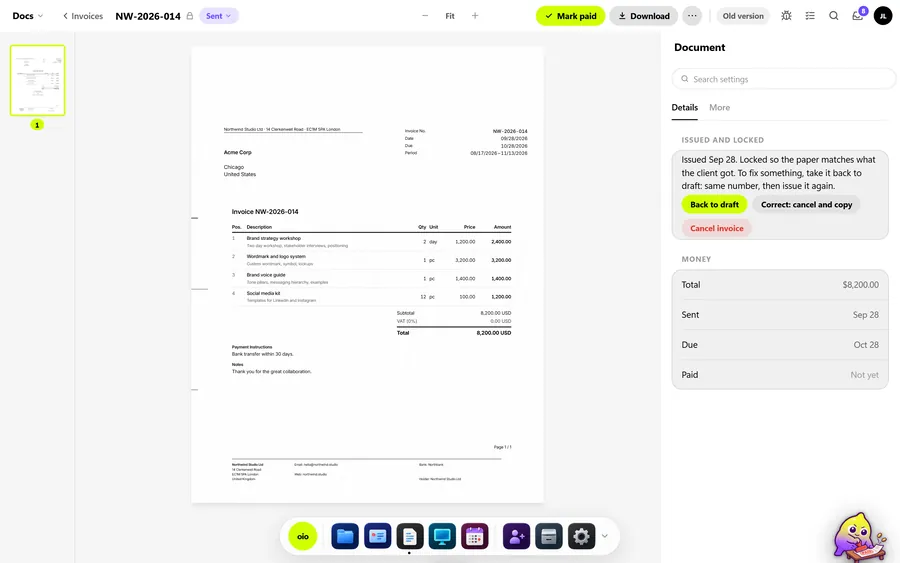
Bill the client, pay the freelancer.
Your invoice to the client knows the budget. The freelancer's cost is recorded on the same project, in their currency, at the day's locked rate. Nothing is typed twice.
What changes
| Question | Project tools | Freelancer tools | OIO |
|---|---|---|---|
| A freelancer joins a project | a seat, an account, an invite | not built for studios | a link |
| Studio pays freelancers and bills clients | invoices live elsewhere | one side only | both sides, one project |
| Currency | converted when paid, numbers drift | one currency | locked on the day, kept forever |
| Client sees status | another seat | a PDF | a link |
What you get
Project page with budget and status. Guest links for freelancers and clients. Team chat on tickets. Whiteboard. Invoices, proposals, contracts, e-signature. Multi-currency with locked rates. 28 languages. Hosted in the EU. On paid plans: the assistant, and meeting recordings with a transcript and summary.
Free for 3 projects and 3 clients. Solo $12 a month. Pro $29. Studio $69 for 5 seats. Annual is billed as nine months.
Start with one free projectNo card. Set up takes ten minutes.
Questions studios ask
Does my freelancer need an account?
No. They open a link and see the brief, the feedback and the files, and they upload the work and reply there. If they want to keep their work history, they can create a free account later, in their language.
Does my client need an account?
No. The client gets a status link and, if you want, a public ticket for feedback.
Can I invoice in the client's currency and record the freelancer in theirs?
Yes. The client invoice and the freelancer's cost sit on the same project. OIO stamps each with that day's rate and keeps it. OIO does not receive the freelancer's invoice; you record the amount.
Where is my data?
In the EU, in Ireland. Every service that touches it is listed in the privacy policy. Nothing is sold.
Can I import from my current tool?
Projects, clients and tickets by CSV. For the first live project most studios start clean; it takes ten minutes.
What happens after the free projects?
Nothing is deleted. You pick a plan when you need a fourth project or client.