
CRM. Projects. Invoices.

Likely the best project management tool ever.

Free for one project. No card.

Hank on his knees, crying with joy at the screen, Walt beside him

Thirty seconds. Shorter than the client's last voice note.

New leads in one list.

Put your inquiry form on your site. Every request lands in OIO as a new lead.

Every job on one timeline.

All your clients, projects and deadlines in one view. See what is late before the client does.
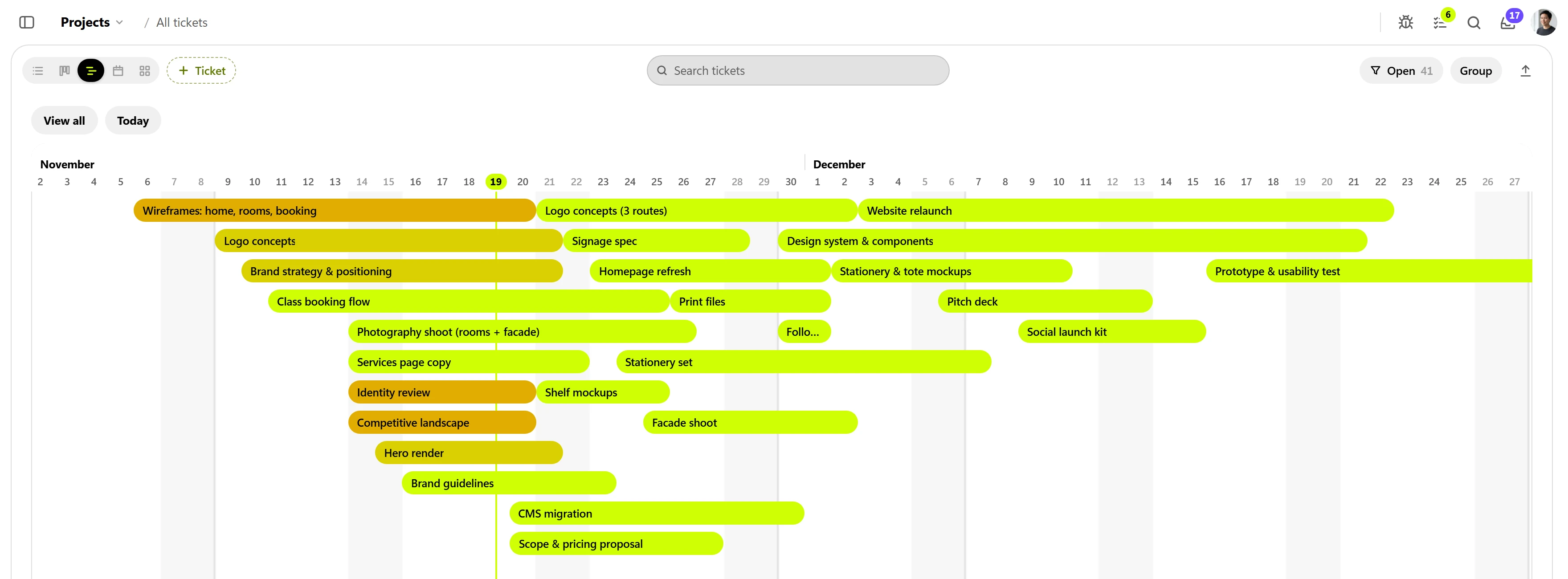
The real OIO timeline in full screen: every ticket of every client job across November and December

Plan it the creative way.

Moodboards, shot lists and next steps as nodes on one big whiteboard. Your team plans on it live, right next to the job.

From quote to paid invoice.

A proper DIN 5008 invoice from the job, in a few clicks. The accepted quote carries over, and clients can pay by bank or in crypto.
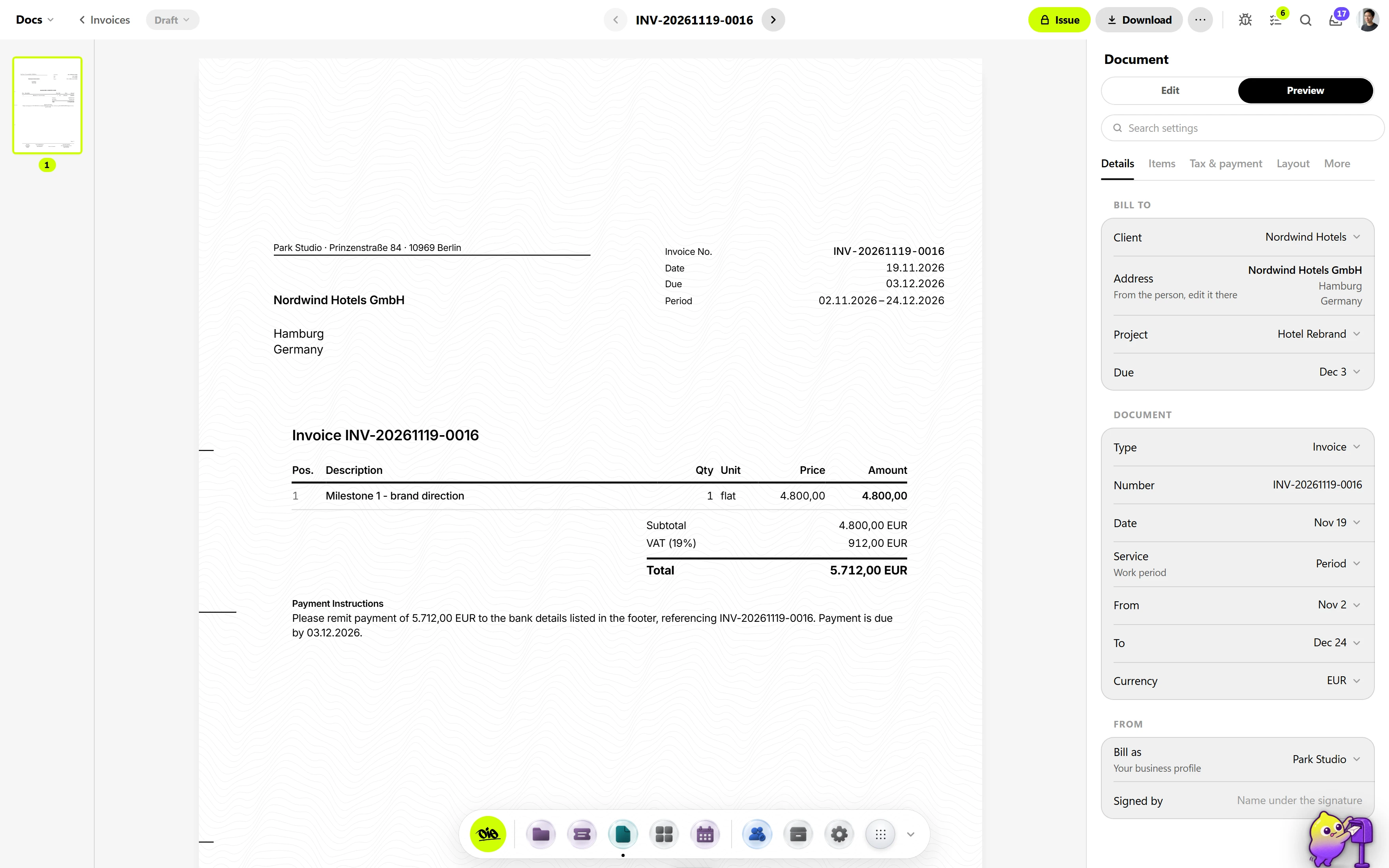
A real OIO invoice for Nordwind Hotels, laid out to DIN 5008, with the document settings beside it

Contracts signed online.

Send a contract or a quote as a link. Your client signs on any device, no account needed. You both keep the signed PDF.

Any currency. Totals in yours.

Bill clients and log expenses in any currency, even crypto. OIO converts each one to your currency at that day's exchange rate, so your profit is always right.

Every subscription. What it really costs.

All the tools you pay for in one list, in any currency. See your monthly spend, what is left after costs, what renews next and what to cancel.
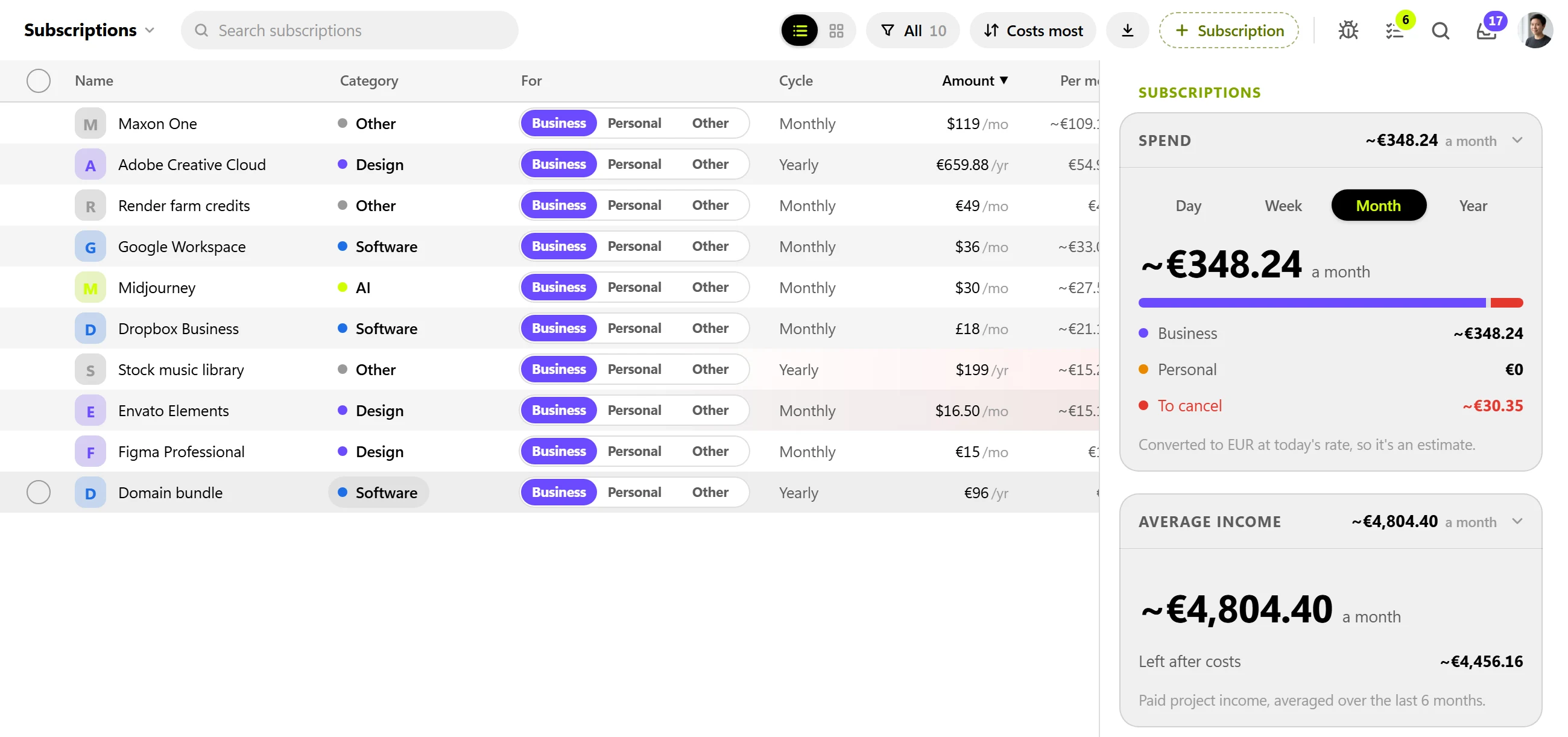
The real OIO Subscriptions app: every tool a studio pays for in one list, with monthly spend, average income, next renewals and what to cancel on the right

Send big files to clients.

Drop the files, send the link. It runs out after 7 days and you see every download.

Around the job

Calls, chat, files and money on the same page.

Tickets
Kanban
Timeline
Calendar
Chat
Whiteboard
Invoices
Money
Sign
Letters
Leads
Clients
Team
Transfer
Recorder
Transcripts
Notes
Tasks
Files
Lead forms

Your whole business in your pocket.

The same OIO on your phone: check what needs you, answer the team, send an invoice on the go.
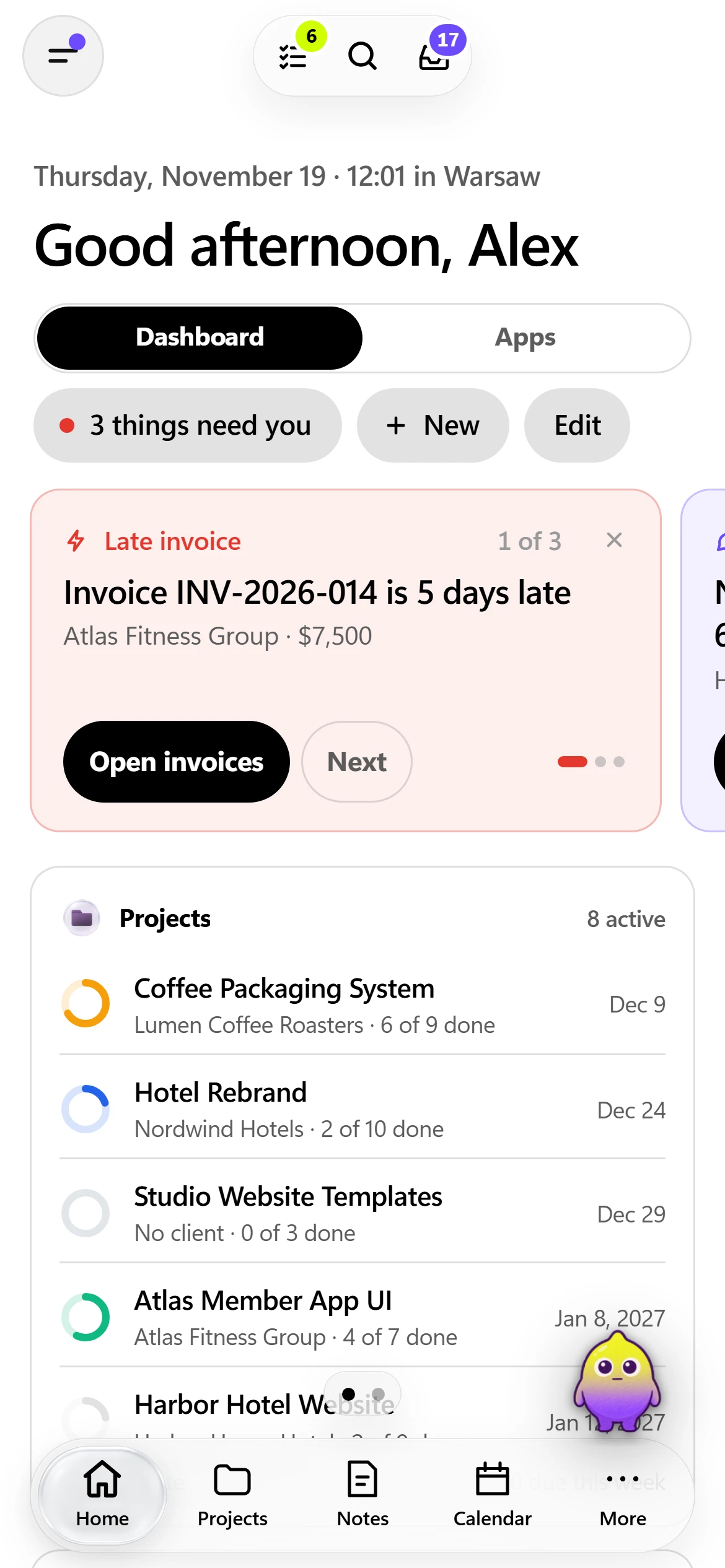
OIO on a phone: the home screen with what needs you, a late invoice and the projects
Walt and Hank carrying a stack of old computers

Moving over is easy.

Bring your jobs in, or start fresh. Both take minutes.

Paste your job list into the OIO botCopy it from Trello, a note or a chat. The bot makes the clients and projects.
Or import a spreadsheetSave it as CSV. Clients, leads, projects and tickets come in.
Or just start your next job in OIOLeave the old ones where they are.
Walt rocking Hank in a hammock, relaxed

Built for real client work.

Your clients, money and files are safe here.

Your data stays in the EUStored in Ireland. Encrypted in transit and at rest (TLS, AES-256). Nothing is sold.
Backed up every nightDaily database backups plus our own nightly snapshot, kept 30 days. Files copied to a separate backup.
Every change is loggedSee who changed what and when, people and AI alike.
Proper documentsInvoices, quotes and letters laid out to DIN 5008, in any currency.
Walt with a light bulb idea, Hank amazed

Run OIO with your own AI.

Connect the AI you already use. It reads and updates your projects.

"Which tickets on the hotel job are on hold?"It reads your projects and answers.
"Make a ticket for the signage proofs, due Friday."It creates it on the right job.

Simple prices.

Start free. Pay when you need a second project.

ClickUp, Frame.io and HoneyBook together cost $329 a month for 5 people. OIO Studio does all of it for $99.

FreeOne real job, start to invoice.1 project, every app on. No card, no time limit.
$0/mo
SoloFor one person with clients.Unlimited projects, 1 seat. 7 days free.Billed $85.50 for the first year (Black Friday, until Dec 1), then $171 a year.
$19$7/mo
StudioFor small studios and their freelancers.5 seats, then $15 per seat. Freelancers free, 7 days free.Billed $445.50 for the first year (Black Friday, until Dec 1), then $891 a year.
$99$37/mo

See every part of it.

Short tutorials, one per feature.

Watch: One project page (3:01)
Watch: Tickets (1:34)
Watch: Invoices (1:55)
Watch: Leads: website form to client (0:47)
Watch: Clients (1:48)
Watch: Client review: image pins and video comments (1:55)
Watch: OIO in 45 seconds (0:44)
Watch: Home and widgets (1:08)
Watch: First setup (1:11)
Watch: The Projects app (0:46)
Watch: Payments and the ledger (1:39)
Watch: Contracts, NDA and e-sign (1:55)
Watch: Client status page (1:38)
Watch: Chat (1:11)
Watch: File transfer and compress (1:52)
Watch: Settings (1:51)
Watch: Plans and billing (1:58)
Watch: How OIO protects your work (1:06)
Watch: What OIO is, in two minutes (2:59)
Watch: Reminders and project status (0:58)
Watch: Working in any currency (1:03)
Watch: Get paid in crypto (0:58)
Watch: Team and seats (1:07)
Watch: Sharing and invites (1:29)
Watch: Calendar (1:17)
Watch: Notes (0:52)
Watch: Whiteboards (0:58)

Questions studio owners ask.

Will my client have to make an account?No. They open a link, see where the job stands, pin notes on the work and click Approve.
Do freelancers need a seat?No. A freelancer joins one ticket by link, reads the brief, sees the feedback, uploads the work and marks it done. Seats are for your own team.
What happens after the free project?Nothing is deleted. You pick a plan when you need a second project.
Do you do capacity planning?No. If you need capacity planning for 40 people, use Productive. OIO is for running client jobs.
Is AI extra?AI is included on every plan with a fair-use limit. On a paid plan you can add more if you run out.
Can I cancel?Any time, in Settings. The plan runs to the end of the period you paid for.

Run your next job in OIO.

From the first lead to the paid invoice, in one place. Free for one project. No card.